
Best AI Tools for Business can help companies save time, automate repetitive tasks, improve productivity, and simplify everyday workflows. From writing emails and creating marketing content to managing customers and organizing projects, AI tools can make many business tasks faster and more efficient.
Businesses of all sizes can use AI to reduce manual work and help teams focus on important tasks. However, with so many AI tools available, choosing the right one can be challenging.
Some tools are designed for writing and content creation, while others focus on marketing, customer management, productivity, design, coding, or automation. The best choice depends on your business needs, budget, team size, and the tasks you want to improve.
In this guide, we’ll explore the best AI tools for business, what each tool is best for, its key benefits, and how to choose the right AI solution for your business.
Quick List: Best AI Tools for Business That Actually Save You Time
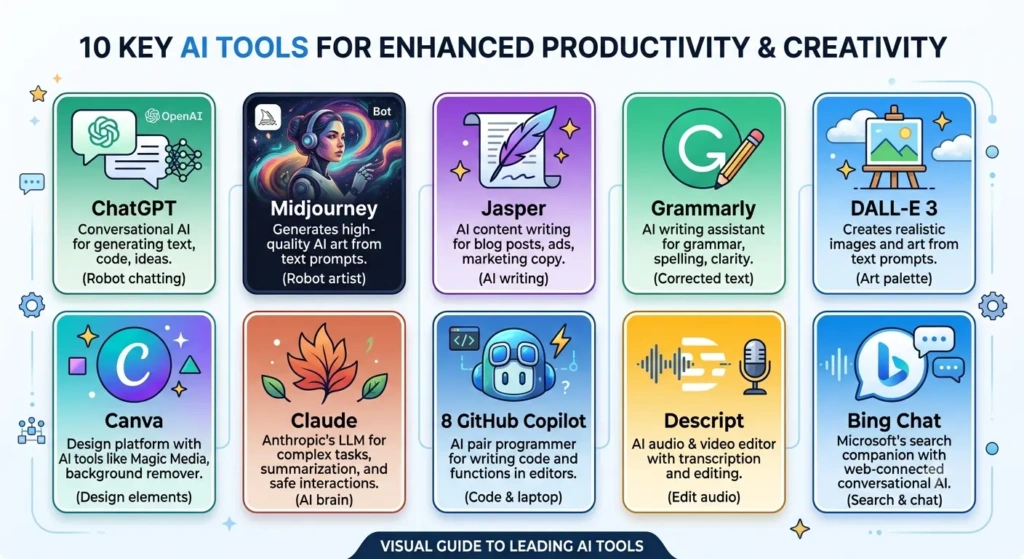
At a Glance
Here are 10 useful tools for different business needs:
- ChatGPT – Best for all-round writing, research, and ideas
- Microsoft Copilot – Best for Microsoft 365 users
- Google Gemini – Best for Google Workspace users
- Claude – Best for long documents and detailed writing
- Canva AI – Best for graphics and marketing designs
- Grammarly – Best for business writing and editing
- Notion AI – Best for notes, documents, and team organization
- HubSpot AI – Best for Managing Customers, Sales and Marketing in One Place
- Jasper – Best for marketing content
- Zapier – Best for business automation
Detailed Review of Best AI Tools for Business

1. ChatGPT – Best All-Round AI Tool for Business
ChatGPT is one of the most flexible AI tools for any small business. Instead of buying several different tools, a business can use ChatGPT for many everyday tasks.
What can you do with it?
- Write emails and customer replies
- Create blog ideas and social media captions
- Write product descriptions
- Summarize documents and meeting notes
- Create business plans
- Brainstorm marketing ideas
ChatGPT can be useful for both simple daily tasks and more detailed business work.
Best for: Small businesses, freelancers, and marketers.
2. Microsoft Copilot – Best for Microsoft 365 Users
If your business already uses Word, Excel, PowerPoint, Outlook, and Teams, Microsoft Copilot can fit naturally into your workflow.
Why choose it?
It works with Microsoft applications and can help with tasks such as creating documents, summarizing emails, preparing presentations, and working with Excel data without constantly switching between different tools.
Best for: Businesses already using Microsoft 365.
3. Google Gemini – Best for Google Workspace
For businesses that use Gmail, Google Docs, Google Drive, and other Google Workspace tools every day, Gemini can be a useful option.
Why choose it?
You can use Gemini to draft emails, create documents, research topics, summarize information, and brainstorm ideas. Working within the Google ecosystem can also reduce the need to copy and paste information between different apps.
Best for: Businesses using Google Workspace.
4. Claude – Best for Long Documents and Detailed Work
Claude is a good choice when your business work involves long reports, proposals, research, or detailed documents.
Why choose it?
You can provide a long business document and ask Claude to summarize the important points. It can also help create professional drafts and organize complex information into an easier format.
Best for: Reports, proposals, and long-form business writing.
5. Canva AI – Best for Business Design
Good design is important for almost every business, but not every small business can afford to hire a professional designer.
Canva makes it easier to create professional-looking visual content.
What can you do with it?
- Instagram and Facebook posts
- Presentations and posters
- Ads and promotional graphics
- Business presentations
- Simple marketing videos
Canva’s AI features can also help speed up the design process, even if you do not have much design experience.
Best for: Small businesses, marketers, and social media teams.
6. Grammarly – Best for Business Writing
A badly written email can make a business look unprofessional. Clear and professional communication is important when dealing with customers, employees, and business partners.
Why choose it?
Grammarly can help improve grammar, spelling, tone, and clarity. It is useful for customer emails, proposals, website content, reports, and internal communication.
Best for: Professional emails, business communication, and content editing.
7. Notion AI – Best for Team Organization
Notion is popular for notes, documents, and project management. Adding AI makes it even more useful for teams.
What can you do with it?
- Summarize meeting notes
- Turn notes into action items
- Create project plans and documents
- Organize ideas
- Find information quickly
Notion can be especially helpful for startups and small teams that want to keep important business information in one place.
Best for: Startups and small teams.
8. HubSpot AI – Best for Sales and Customer Management
HubSpot is widely used for CRM, marketing, sales, and customer management. Its AI features can help businesses manage leads and customers more efficiently.
Why choose it?
Instead of keeping customer information in different spreadsheets, a business can organize leads and customer details in one CRM. AI can also help with sales communication, marketing tasks, and other repetitive work.
Best for: Sales teams and businesses managing many leads.
9. Jasper – Best for Marketing Content
Jasper is built mainly for marketing teams and businesses that create content regularly.
What can you do with it?
- Create blog content and ad copy
- Write social media posts
- Plan marketing campaigns
- Create product messaging
- Maintain a consistent brand voice
For businesses that publish content frequently, Jasper can help speed up the content creation process.
Best for: Marketing agencies and businesses that publish content regularly.
10. Zapier – Best for Business Automation
Many business tasks are repetitive and boring.
For example:
Customer fills out a form → Lead is added to a spreadsheet → Email is sent → Sales team gets a notification.
Doing each step manually takes unnecessary time.
Zapier connects different apps and can automate these workflows. This allows businesses to reduce manual work and spend more time on important tasks.
Best for: Businesses that want to automate repetitive workflows.
How to Choose the Right AI Tool for Your Business
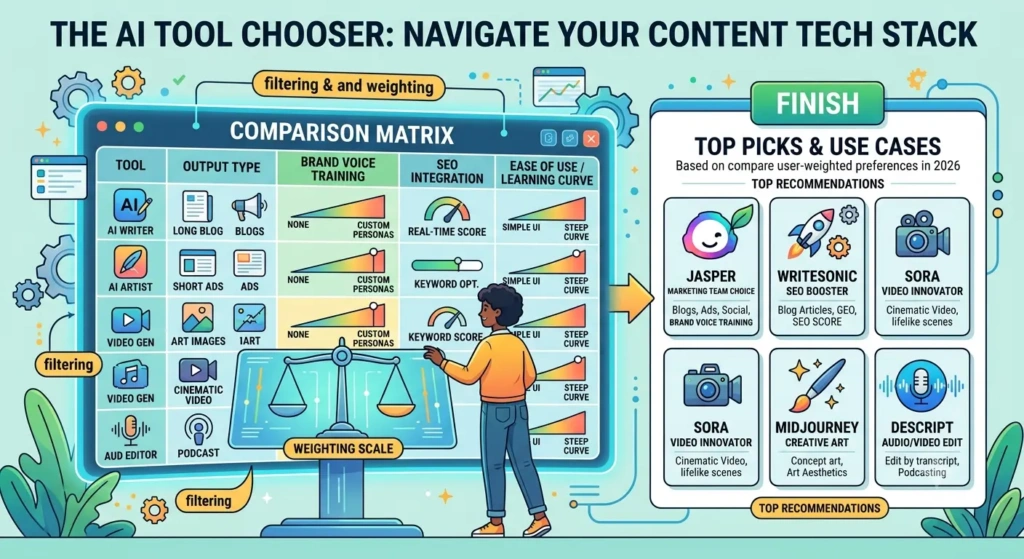
Choosing an AI tool is not just about finding the tool with the biggest list of features. The tool should actually solve a problem your business has.
5 Questions to Ask Before You Buy
1. What task takes the most time?
Find the repetitive task your team performs regularly. Start by solving that problem.
2. How many people will use it?
A tool that works well for one person may not be the right choice for a larger team. Check the available plans and team features before buying.
3. Does it connect with your current software?
If the AI tool works with software your business already uses, such as Gmail, Excel, Slack, or other business applications, getting started can be much easier.
4. Is your data safe?
Always check how the tool handles business information. Avoid putting sensitive company or customer information into a tool without understanding its privacy and security practices.
5. Is it worth the cost?
A paid AI tool should provide enough value to justify its price. Think about the amount of time it can save and whether it can help your team work more efficiently.
Final Thoughts

The best AI tools for business are not necessarily the tools with the most features. The best tool is the one that solves a real problem in your business.
If you are just starting, ChatGPT can be a good general-purpose option. Businesses using Microsoft 365 can consider Copilot, while businesses using Google Workspace can look at Gemini. For design, Canva is useful, Grammarly can help with business writing, and Zapier can automate repetitive workflows.
Don’t add 10 AI tools at once.
Start with one task that takes too much time, choose one tool that can help, measure the result, and then expand.
That is how AI can actually help a business grow — by solving real problems and giving your team more time to focus on important work.