Writing has become easier with the help of artificial intelligence, and the best AI writing tools in 2026 can now assist with everything from brainstorming ideas to improving a finished article. Instead of spending hours trying to organize every thought from scratch, writers can use AI to create outlines, rewrite difficult sentences, research topics, and develop content ideas. However, every AI writing tool has different strengths, so choosing the right one depends on what you actually want to accomplish.

How the Best AI Writing Tools in 2026 Can Help
You don’t have to give an AI tool responsibility for an entire article.
It can be used for one small part of the job.
For example, you might already know the topic but need help finding a logical order for your points. You could ask AI for possible structures and then create your own outline.
Later, if one section is difficult to explain, you can ask for a few alternative approaches.
The same idea works during editing. If a paragraph feels too complicated, AI can suggest a simpler version. You remain responsible for deciding which version actually sounds right.
This makes AI more like a writing assistant than an automatic replacement for the writer.
1. ChatGPT for Flexible Writing Tasks
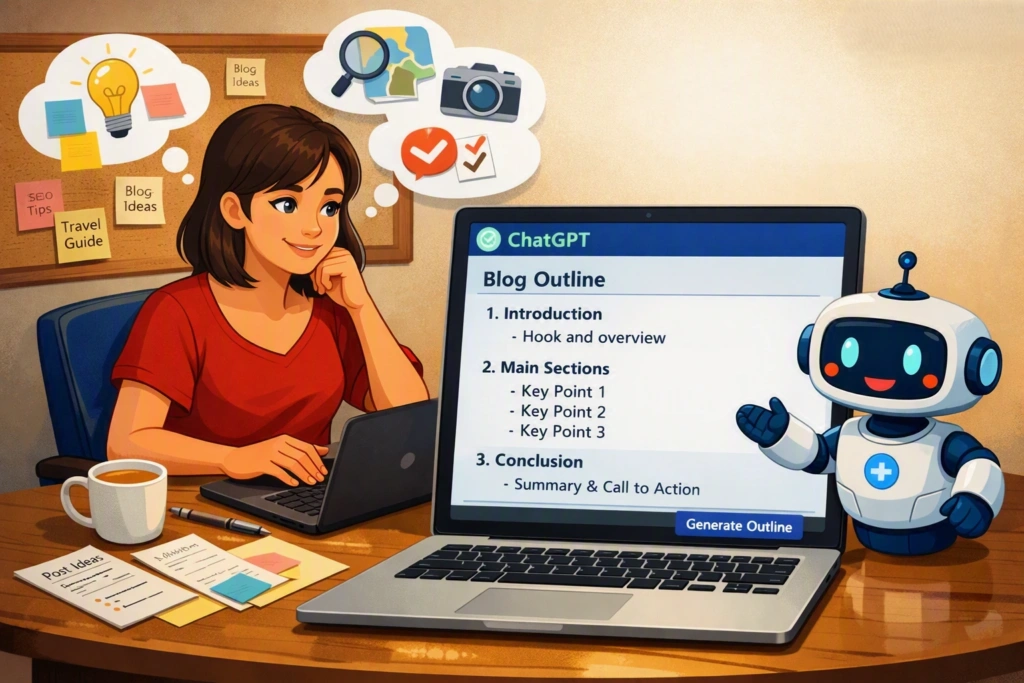
If you want an AI tool that can help with many different types of writing, ChatGPT is a practical choice.
You can use it while planning blog articles, developing social media ideas, rewriting paragraphs, preparing emails, or creating questions for an interview.
It can also help when you have information but don’t know how to arrange it.
For instance, suppose you have collected ten points about a new software product. You could provide those points and ask the AI to group related information together. You can then decide which groups deserve their own sections.
The important thing is to give the tool enough context. A detailed instruction usually gives you a more useful starting point than a vague request.
Best for: Bloggers, freelancers, students, marketers, and general writing.
2. Claude for Detailed Writing Projects
Long documents can be difficult to organize, especially when they contain a lot of background information.
Claude is worth considering when your project involves detailed material and you want help shaping it into a readable document.
You could use it to work through research notes, improve the structure of a guide, or develop explanations for a complicated subject.
It can also be useful when you have already written something and want another perspective on the organization.
However, writers should not assume that a well-written response is automatically accurate. Facts and important claims still need human verification.
Best for: Long-form articles, guides, reports, and detailed explanations.
3. Grammarly for the Editing Stage
Writing and editing are two different jobs.
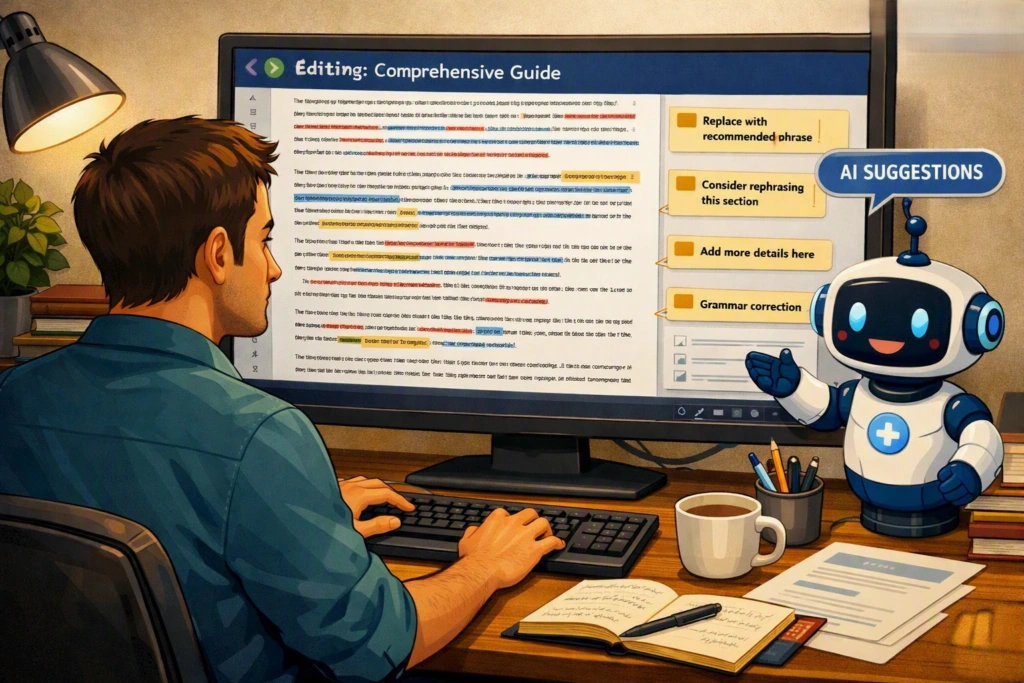
You may have good ideas and strong information in your article, but a few sentences may still sound awkward. Perhaps a paragraph is too long or the tone changes halfway through the page.
Grammarly can be useful at this point.
Instead of generating an entire article, you can use it to review your own writing and identify areas that could be improved.
This approach is especially useful for people who want their own voice to remain visible in the final piece.
Best for: Proofreading, grammar, readability, and polishing existing text.
[Picture 5 – AI Proofreading]
Image idea: A writer reviewing a completed article with grammar and clarity suggestions displayed on screen.
Alt text: Grammarly AI proofreading tool
4. Jasper for Brand and Marketing Content
Businesses often produce content in many formats.
A company may publish articles, send newsletters, write product pages, create advertisements, and post on social media. Keeping the language consistent across all of those channels can be challenging.
Jasper is designed with marketing use cases in mind.
It can assist teams that need regular promotional content and want their material to follow a recognizable brand style.
This makes it more relevant to businesses and marketing professionals than to someone who only writes occasionally.
Best for: Marketing teams, agencies, businesses, and brand communication.
5. Writesonic for Search-Focused Content
Bloggers who depend on search traffic have another concern beyond writing quality.
They need to understand what potential readers are looking for.
That means considering search intent, related questions, article organization, and the usefulness of the information being provided.
Writesonic can be useful for people who want AI assistance as part of this type of content workflow.
It can support the planning and writing stages, but writers should avoid turning SEO into keyword repetition.
A useful article should sound like it was written for a person first.
Best for: SEO professionals, bloggers, publishers, and digital marketers.
6. Copy.ai for Business Communication
Copy.ai is another platform aimed at business and marketing work.
Businesses often need several versions of a message. A product may need different descriptions for a website, an email, an advertisement, and a social media post.
AI can help create initial variations quickly.
A person can then select the strongest version and adjust it to match the campaign and audience.
That makes this type of tool useful when writing volume is high and the same information needs to be presented in different ways.
Best for: Marketing, sales material, promotional writing, and business communication.
7. Notion AI for Notes and Documentation
Notion AI can be particularly convenient for people who already keep their work inside Notion.
Imagine having research notes, project information, meeting records, and content ideas in one workspace. AI can help summarize those notes or turn them into an early draft without requiring you to move the information somewhere else.
This can make everyday documentation easier for teams and students.
Best for: Notes, documentation, project planning, and organized workspaces.
8. Perplexity for Research Before Writing
Sometimes the main challenge is not creating sentences. It is understanding the subject well enough to write about it.
Perplexity can help during this early research stage.
You can use it to explore a topic, ask follow-up questions, and identify information that may be useful for your article.
It is still important to check important information yourself. An AI answer should be treated as a research starting point rather than unquestionable evidence.
This is especially important when writing about statistics, prices, laws, technical specifications, or recent developments.
Best for: Research, topic discovery, and preliminary fact-finding.
How to Choose the Best AI Writing Tools in 2026
The answer depends on the kind of writing you do.
| Your Main Requirement | Tool to Consider |
|---|---|
| Everyday writing and brainstorming | ChatGPT |
| Detailed documents | Claude |
| Proofreading and editing | Grammarly |
| Marketing content | Jasper |
| SEO-focused writing | Writesonic |
| Sales and promotional copy | Copy.ai |
| Notes and documentation | Notion AI |
| Topic research | Perplexity |
This table is only a starting point. Many of these platforms overlap, so you may find that one tool can handle several of your requirements.
Don’t Let AI Decide Everything
There is a temptation to enter a topic into an AI tool, copy the response, and publish it.
That is probably the easiest workflow, but it is not necessarily the best one.
AI can miss context. It can produce a generic explanation when readers need something specific. It can also make factual mistakes.
Human involvement is particularly important when the article contains information that affects a reader’s decision.
Before publishing, check the facts, remove unnecessary statements, and make sure the article actually answers the question behind the search.
How to Use the Best AI Writing Tools in 2026
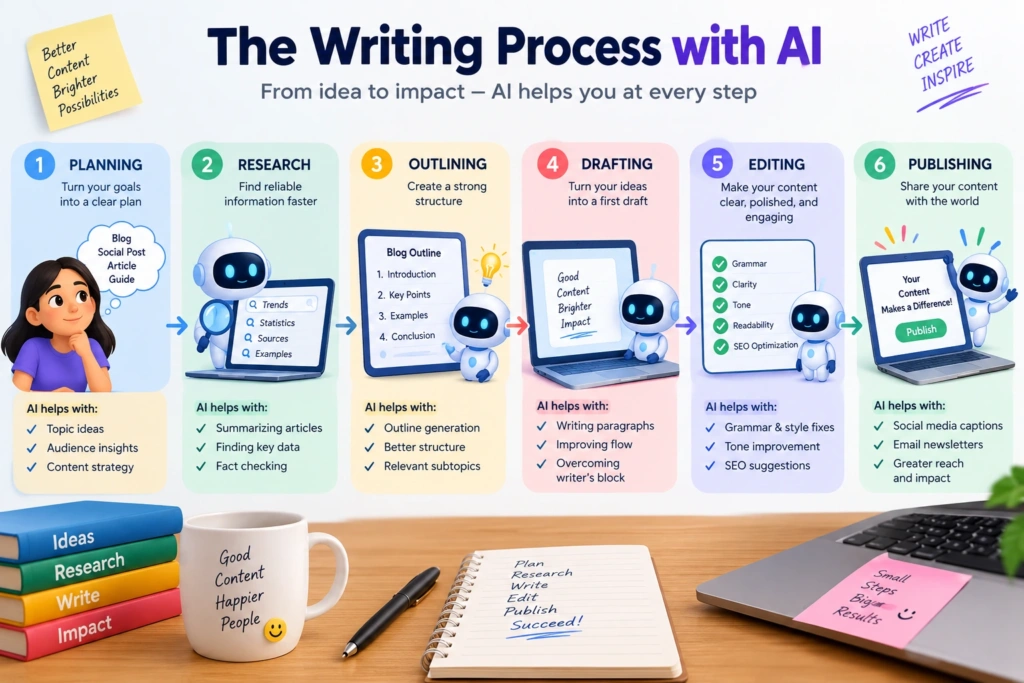
Instead of asking AI to write everything, divide the work into smaller tasks.
Start by deciding what your reader needs.
Then research the topic and collect useful information. Create a rough structure. At this stage, AI can help you identify missing questions or suggest a different order for your sections.
After writing the draft, use AI again as an editor.
Ask it to identify unclear sentences, repeated ideas, or sections that may need more explanation.
You then make the final decisions.
This workflow takes advantage of AI without allowing the software to determine the entire article.
How to Make the Best AI Writing Tools in 2026 Sound Natural
The first draft is rarely the most interesting version.
Add details that reflect your knowledge of the subject. Explain a situation in your own words. Include examples that are relevant to your audience.
Suppose you’re writing about AI tools for college students. Instead of simply saying that AI can “improve productivity,” describe a real task such as organizing lecture notes or creating practice questions.
Specific examples give readers something they can actually understand and use.
You can also remove phrases that sound overly formal or repetitive. Read the article aloud if necessary. If you would not say something naturally, rewrite it.
Are AI Writing Tools Useful in 2026?
They can be very useful when used for the right tasks.
An AI assistant can help you move past a blank page, sort a large collection of ideas, find alternative wording, or review a draft.
But faster writing is not automatically better writing.
A ten-minute article that contains little useful information is less valuable than a carefully prepared article that takes longer.
Think of AI as a tool that reduces some of the repetitive work. The writer should still decide what deserves to be said and how it should be presented.
Final Thoughts
Choosing an AI writing tool becomes much easier once you know what you expect it to do.
ChatGPT is a flexible option for many writing tasks. Claude can help with larger projects, while Grammarly focuses more on improving existing text. Jasper and Copy.ai are useful for business-oriented content, Writesonic is aimed at SEO-related workflows, Notion AI works naturally with notes and documents, and Perplexity can help when research is the first step.
You don’t need to subscribe to all of them.
Start with the tool that addresses your biggest problem. Use it for a few real projects and see whether it actually saves time or improves your work.
AI can make writing easier, but the final article still benefits from human research, judgment, experience, and editing.
That combination is what turns assisted writing into useful content.