
Finding the best AI tools for developers can make coding faster, easier, and more productive. Developers can use AI to write code, find bugs, explain errors, generate tests, understand documentation, and handle repetitive programming tasks. Instead of replacing developers, these tools work like coding assistants that help save time and solve problems more efficiently.
Whether you are a beginner learning programming, a freelance developer, or an experienced software engineer, the right AI development tool can improve your daily workflow. From AI code completion to debugging and code generation, there are now many tools available for different development needs.
In this guide, we will explore some of the best AI tools for developers, what each tool does, and which type of developer can benefit from using it.
Quick List: Best AI Tools for Developers
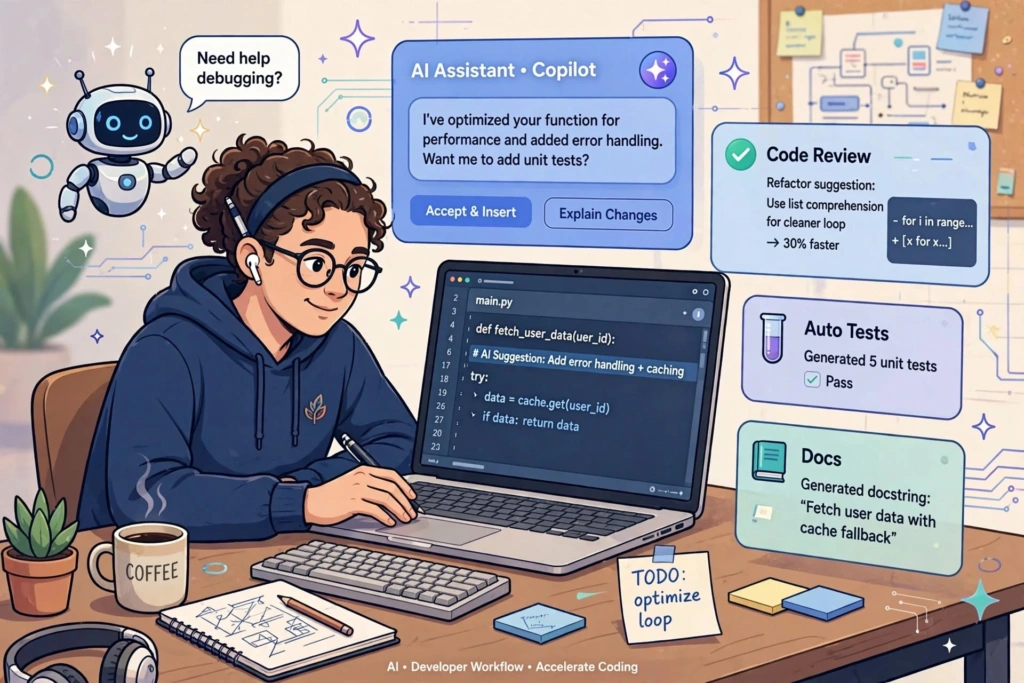
Here are some popular AI tools developers can use:
- GitHub Copilot – Best overall AI coding assistant
- Cursor – Best AI code editor
- Claude – Best for understanding and working with complex code
- Amazon Q Developer – Best for AWS development
- Tabnine – Best for AI code completion and privacy-focused development
- Windsurf – Best for AI-assisted coding workflows
- Replit – Best for beginners and browser-based development
- Gemini – Useful for coding help and technical explanations
- ChatGPT – Best for coding explanations, debugging, and problem-solving
- JetBrains AI Assistant – Useful for developers working with JetBrains IDEs
1. GitHub Copilot: AI Coding Tool for Developers

GitHub Copilot is one of the most well-known AI coding tools for developers. It works inside popular development environments and can help with code completion, explanations, editing, and other programming tasks.
Copilot can suggest code as you type, answer questions about your code, help with the command line, and assist with changes across files. GitHub also provides agent-based features that can plan tasks, modify code, run tests, and prepare changes for review.
Why developers use GitHub Copilot
- Generates code suggestions
- Explains programming concepts
- Helps debug errors
- Works with popular IDEs
- Can assist with tests and code changes
- Integrates closely with GitHub
Best for: Developers who want an AI assistant inside their existing coding workflow.
2. Cursor: AI Code Editor for Developers
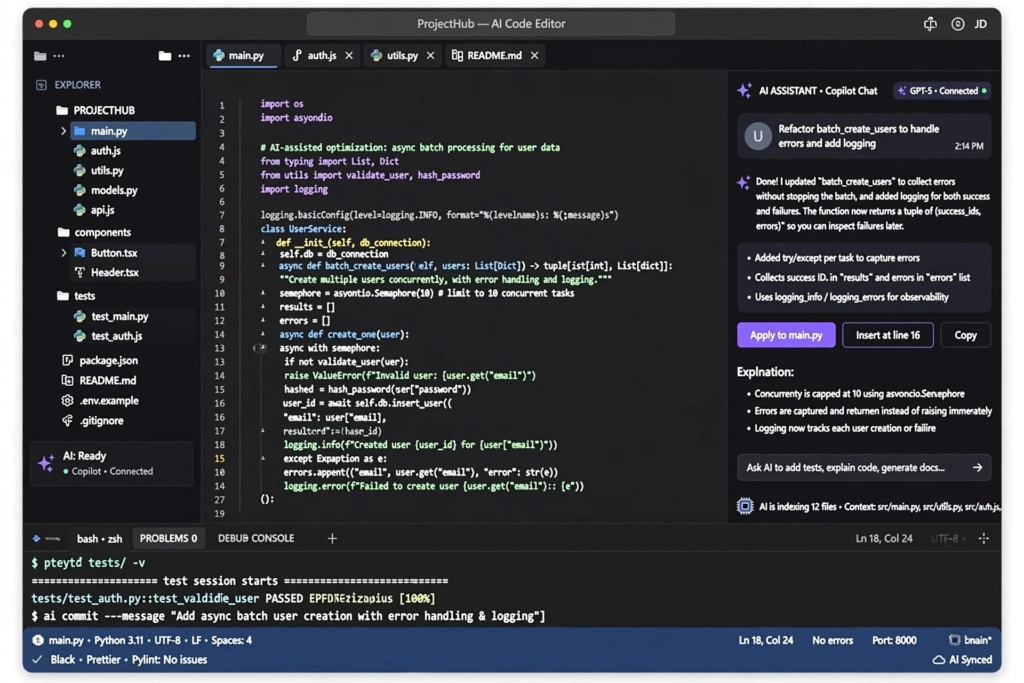
Cursor is an AI-powered code editor designed around AI-assisted software development. It is particularly useful when you are working with an existing codebase and need to make changes across multiple files.
One of Cursor’s useful features is its ability to understand the context of your codebase. You can ask it to modify functions, rewrite sections of code, explain files, or work on larger development tasks using natural-language instructions.
Cursor also includes an agent that can search your codebase, edit files, run commands, and help complete more complex coding tasks.
Why developers use Cursor
- AI-powered code editing
- Understands project context
- Supports multi-file changes
- Helps with debugging
- Can work with documentation
- Provides natural-language code editing
Best for: Developers who want an AI-first coding environment.
3. Claude: AI Assistant for Developers
Claude can be useful for developers who need help understanding complicated code, debugging problems, planning projects, or working with large amounts of technical information.
For example, you can provide a function that is producing an error and ask Claude to explain what is happening. You can also ask it to suggest improvements or explain a programming concept in simpler language.
The important thing is to treat its output as assistance rather than automatically accepting every piece of generated code.
Why developers use Claude
- Explains complicated code
- Helps find potential bugs
- Generates programming examples
- Helps plan software projects
- Useful for code reviews
- Can simplify technical documentation
Best for: Developers who need detailed reasoning and explanations while coding.
4. Amazon Q Developer: AI Tool for AWS Developers
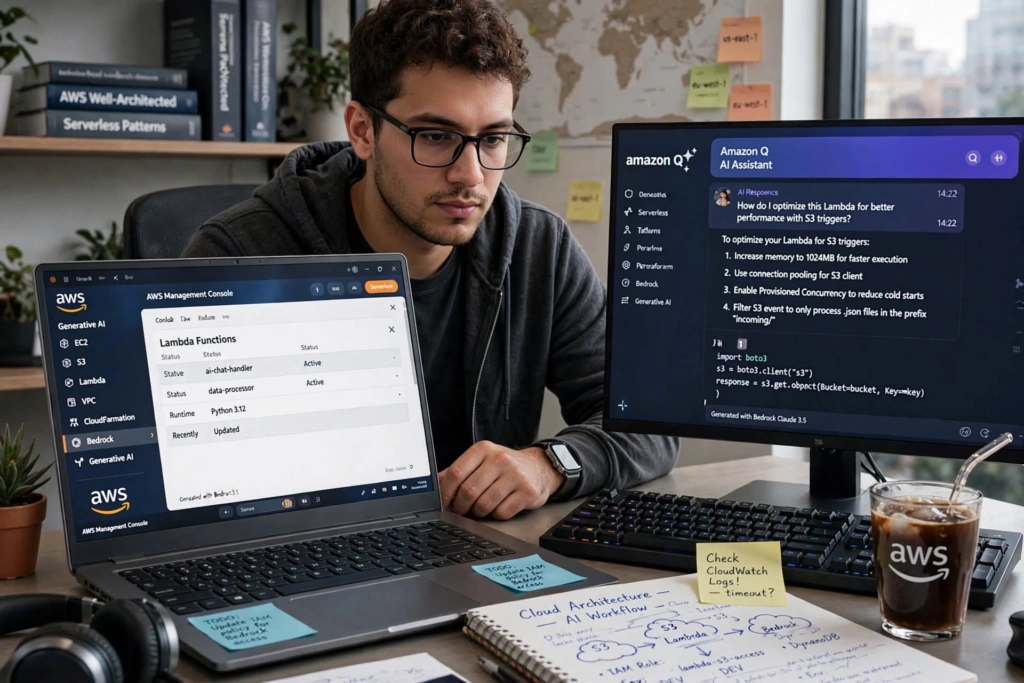
If you build applications using Amazon Web Services, Amazon Q Developer can be a useful AI assistant.
It is designed to help developers with software development tasks and can be particularly useful when working within the AWS ecosystem.
Developers can use AI assistance to understand code, troubleshoot problems, and work with AWS-related development tasks.
Why developers use Amazon Q Developer
- Useful for AWS development
- Helps understand code
- Supports troubleshooting
- Can assist with development tasks
- Useful for teams working heavily with AWS services
Best for: AWS developers and teams building cloud applications.
5. Tabnine: AI Code Completion Tool for Developers
Tabnine is an AI coding assistant focused on helping developers write code more efficiently.
It can provide code completions and suggestions while you work. This can be especially useful when you are writing repetitive code or need help remembering common programming patterns.
Why developers use Tabnine
- AI code completion
- Helps reduce repetitive typing
- Supports multiple programming languages
- Useful for development teams
- Focuses on developer productivity
Best for: Developers looking for AI-powered code completion.
6. Windsurf: AI Coding Tool for Developers
Windsurf is another AI-powered development environment that focuses on making coding more conversational.
Instead of manually making every small change, developers can describe what they want and use AI assistance to work through the task.
This type of workflow can be helpful when building features, modifying existing code, or trying to understand how different parts of a project work together.
Why developers use Windsurf
- AI-assisted programming
- Natural-language coding
- Codebase assistance
- Helps with repetitive development tasks
- Useful for feature development
Best for: Developers interested in AI-assisted development environments.
7. Replit: AI Development Tool for Beginners
Replit is a popular browser-based development platform that makes it easier to write and run code without setting up a complete local development environment.
Its AI features can help users create applications, understand code, and work through programming tasks.
This makes it especially interesting for beginners and students who want to experiment with software development without spending a lot of time configuring their computer.
Why developers use Replit
- Browser-based development
- Beginner-friendly
- Useful for quick prototypes
- AI-assisted coding
- Easy to experiment with projects
Best for: Students, beginners, and developers who want to build projects online.
8. Gemini: AI Coding Assistant for Developers
Gemini can also be used as an AI tool for coding. Developers can use it to explain code, generate examples, troubleshoot errors, and learn programming concepts.
For example, if you are learning Java, Python, JavaScript, or another programming language, you can ask Gemini to explain a particular concept with a simple example.
It can also be useful when you are stuck on a programming problem and need another way to approach it.
Why developers use Gemini
- Code explanations
- Debugging assistance
- Programming examples
- Technical brainstorming
- Learning support
Best for: Developers and students who want a general-purpose AI assistant for programming.
9. ChatGPT: AI Tool for Coding and Debugging
ChatGPT is a versatile AI assistant that can be extremely useful for software development.
Developers can use it for everything from understanding programming concepts to debugging errors and creating code examples.
For example, you can paste an error message and ask what caused it. You can also provide a piece of code and ask for an explanation, optimization ideas, or possible bugs.
However, generated code should always be reviewed and tested before being added to a real project.
What developers can use ChatGPT for
- Writing code
- Debugging
- Explaining errors
- Generating SQL queries
- Creating regular expressions
- Writing test cases
- Understanding APIs
- Learning programming
- Refactoring code
- Creating project documentation
Best for: Almost any developer who needs a flexible AI assistant for coding and problem-solving.
10. JetBrains AI Assistant for Developers
Developers who use JetBrains IDEs can consider JetBrains AI Assistant for AI-powered help inside their development environment.
Instead of constantly switching between the IDE and another AI application, developers can use AI features within their coding workflow.
This can make tasks such as understanding code, generating suggestions, and working with development projects more convenient.
Why developers use JetBrains AI Assistant
- Works within JetBrains development environments
- Helps with coding tasks
- Useful for code explanations
- Can assist with documentation
- Keeps AI assistance closer to the development workflow
Best for: Developers who already use JetBrains IDEs.
How AI Tools Help Developers

AI tools are becoming useful across many parts of software development. They are not limited to simply generating code.
1. Faster Code Writing
AI coding assistants can generate boilerplate code and suggest the next part of a function. This can save time on repetitive programming tasks.
2. Easier Debugging
When you encounter an error, AI can help explain what the error means and suggest possible solutions.
However, developers should still reproduce the issue and test the suggested fix.
3. Learning New Technologies
Developers often have to learn new frameworks, libraries, APIs, and programming languages.
AI can explain unfamiliar concepts in simpler language and provide small examples that make learning easier.
4. Writing Tests
AI can help generate unit tests and test cases based on existing functions. Developers should still review whether the tests actually cover the important scenarios.
5. Code Documentation
Writing documentation can be time-consuming. AI can help create comments, function descriptions, README content, and technical explanations.
6. Code Refactoring
AI tools can suggest ways to make code cleaner, more readable, or easier to maintain.
The developer should review the proposed changes carefully before applying them to production code.
How to Choose the Best AI Tool for Developers
There is no single AI tool that is perfect for every developer.
The right choice depends on what you actually need.
For general coding
GitHub Copilot and ChatGPT are good starting points for general programming assistance.
For AI-first coding
Cursor and Windsurf are worth considering if you want an editor where AI is deeply integrated into the coding process.
For AWS development
Amazon Q Developer makes more sense if your projects heavily use AWS.
For beginners
Replit can be a convenient option because you can code through a browser and experiment with projects without complicated setup.
For JetBrains users
JetBrains AI Assistant is worth considering if you already spend most of your development time inside JetBrains IDEs.
Are AI Coding Tools Replacing Developers?
No. AI coding tools are better viewed as assistants rather than replacements for developers.
AI can generate code quickly, but it does not automatically understand every business requirement, security concern, architectural decision, or edge case.
A developer still needs to:
- Understand the requirements
- Review generated code
- Test the application
- Check security
- Handle edge cases
- Make architectural decisions
- Maintain the project
The strongest approach is to use AI for repetitive and time-consuming work while keeping human judgment in the development process.
Tips for Using AI Coding Tools Effectively
Getting better results from AI is not only about choosing the right tool. It is also about giving it useful instructions.
Give Clear Prompts
Instead of saying:
“Fix this code.”
Explain what the code should do, what is currently happening, and what error you are getting.
Share Relevant Context
Give the AI the necessary function, error message, expected output, or project structure instead of providing unrelated information.
Ask for Explanations
Don’t just ask AI to generate code. Ask it to explain why the solution works.
This is particularly useful when you are learning.
Test Everything
Never assume AI-generated code is automatically correct.
Run your tests, check edge cases, and review the code before using it in production.
Protect Private Information
Avoid sending passwords, API keys, private credentials, customer information, or other sensitive data into AI tools.
Final Thoughts

The best AI tools for developers are the ones that fit naturally into your existing workflow.
GitHub Copilot is a strong choice for developers who want AI assistance across their coding workflow, while Cursor is appealing to developers who want an AI-first coding environment. Tools such as ChatGPT, Claude, Gemini, Replit, Amazon Q Developer, Tabnine, Windsurf, and JetBrains AI Assistant can also be useful depending on your development needs.
The goal is not to let AI write everything for you. Instead, use AI to reduce repetitive work, understand difficult problems faster, and spend more time on the parts of development that require real engineering decisions.
When used properly, AI can become a valuable coding partner—not a replacement for your programming skills.